TUI Itinerary
& Trip Flow
Redesigning the post-booking experience end-to-end — from a simplified itinerary view and integrated map to safe drop-off points, seat reservations, and a cleaner activity detail page — all stress-tested against a brand-new design system.
This project began after a user audit revealed that TUI's post-booking journey was scattered across multiple surfaces with no consistent logic. Customers couldn't find activity details, had no visibility of pickup and drop-off points, and relied on physical tickets or PDF attachments to manage their trip. The goal was to consolidate the experience — booking details, itinerary, map, activity page, transfers, and seat selection — into one coherent, mobile-first system while simultaneously stress-testing TUI's updated design language.
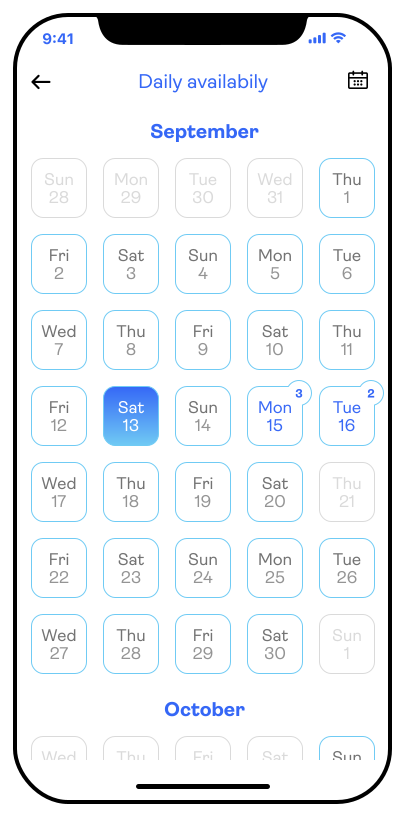
The first surface in the flow. A simplified ticket view shows the trip at a glance, with a mini calendar of daily activities, quick access to the map, and a persistent booking details drawer at the bottom.
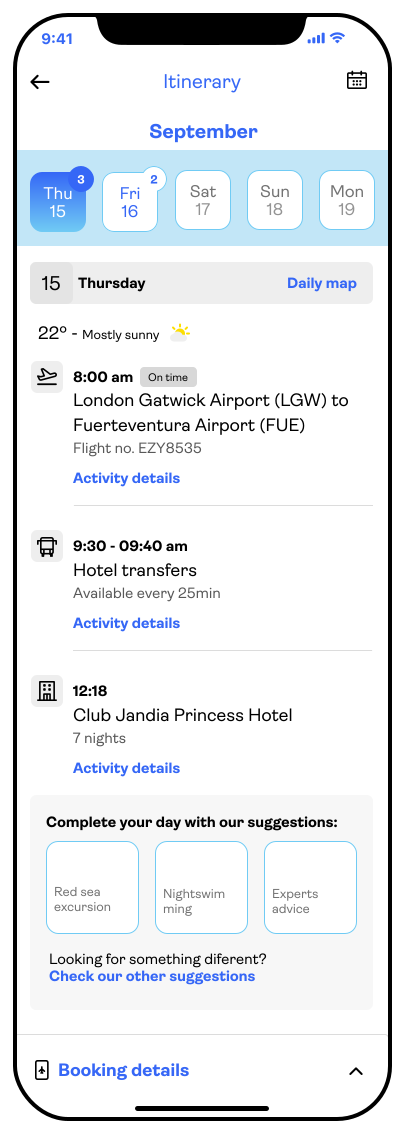
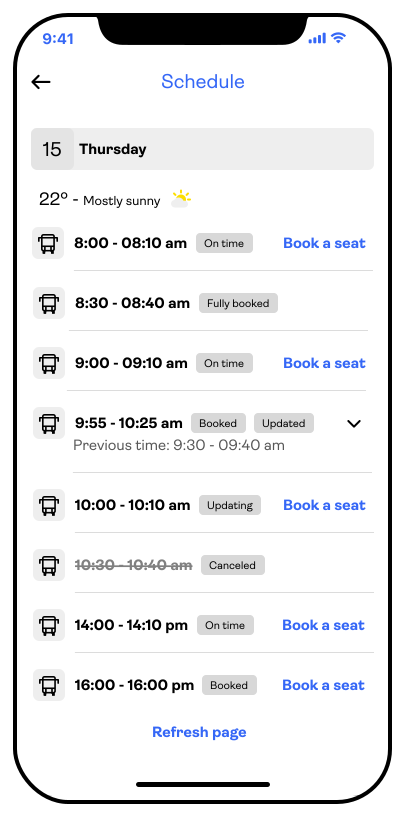
A cleaner, more structured itinerary page — day-by-day, with weather, status tags, and quick links to book seats or view activity details. Designed to be the anchor of the whole trip experience.
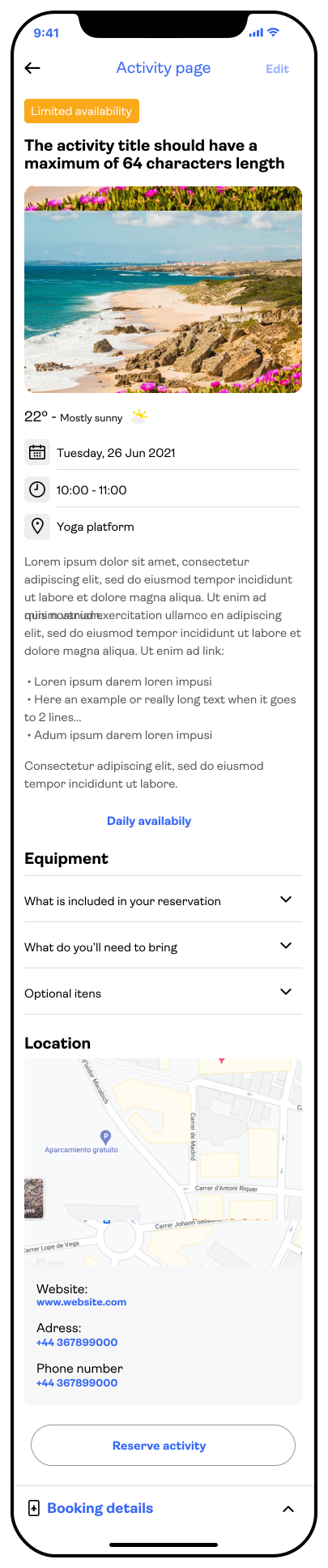
Rebuilt from scratch: title, hero image, live weather, date, time, and location — all clickable and linking to deeper context. Includes collapsible Q&As, a live map section, and quick booking details access.
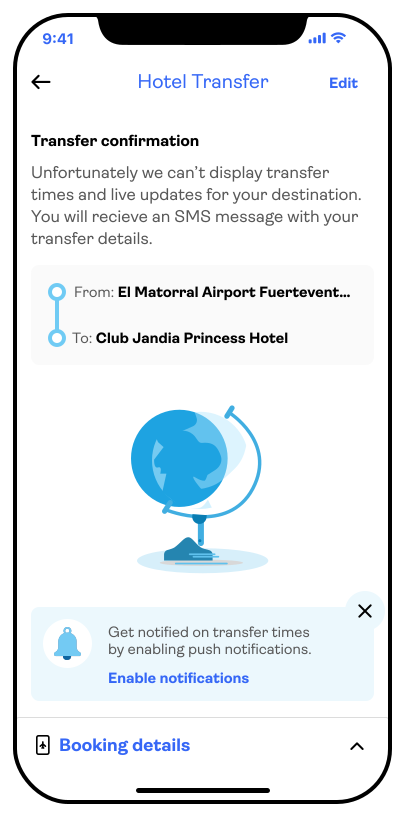
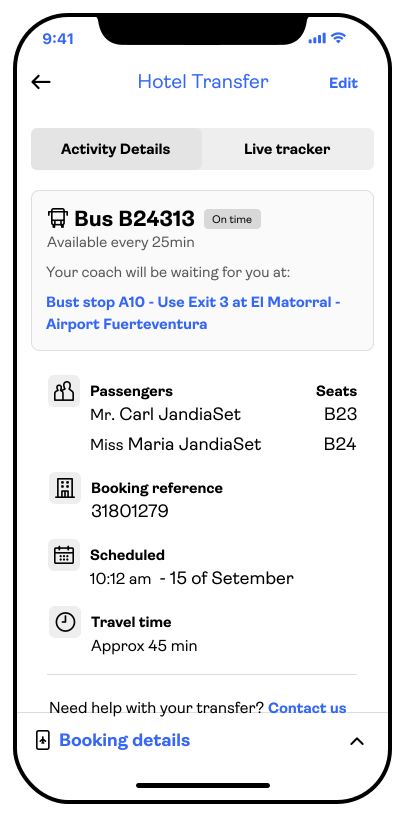
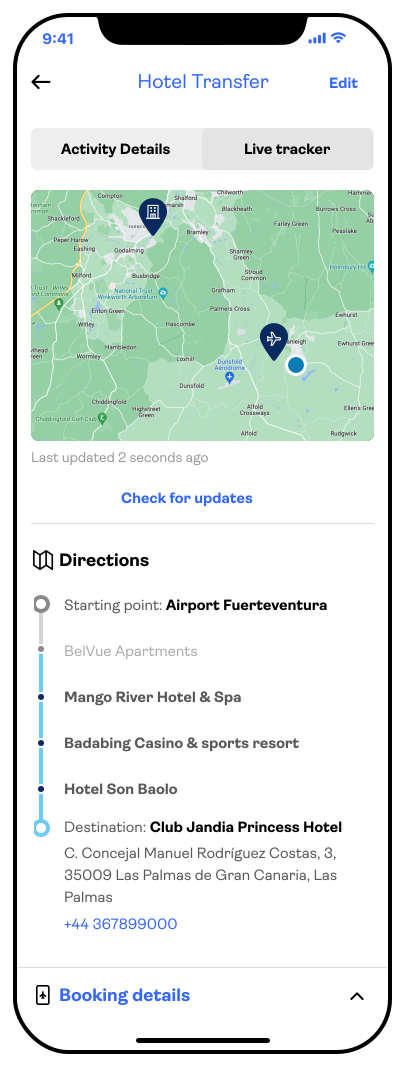
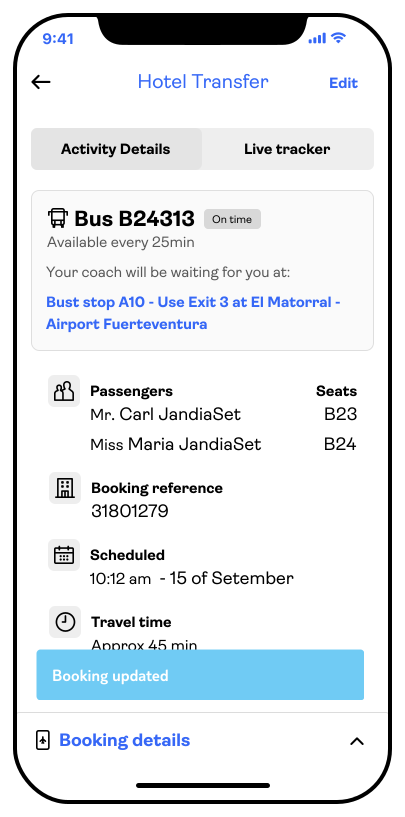
A dedicated flow for hotel transfers and excursions with seat reservations, live bus tracking, licence plate info, and step-by-step in-app navigation — all offline-ready, with no data roaming required.
Research was grounded in two primary sources: customer feedback submitted through TUI's own channels and direct qualitative input from frontline staff who dealt with traveller confusion daily. This gave us a combination of high-volume signal and high-context nuance — a wider dataset than a typical research sprint, but one we could move through quickly given the three-week window.
Alongside internal feedback, we conducted a competitor review. While comparable services existed in the market, none offered this level of integration. Most required customers to juggle multiple apps — a map here, a ticket there, a third-party transfer tracker somewhere else. The opportunity was to consolidate everything into a single, trusted source of truth.
The research confirmed what the team had already suspected: the post-booking experience was creating anxiety, not confidence. Customers didn't know where to go, what time to be ready, or how to reach their destination without burning mobile data.

Analysed feedback left across TUI's channels, identifying recurring complaints around navigation, visibility, and transfer anxiety.
Structured interviews with resort staff and TUI reps surfaced the questions customers asked most frequently on arrival.
Mapped competitor solutions across 6 travel apps — none offered comparable integration. Our benchmark was the experience we wanted to replace, not the market.
Assessed the new TUI UI direction — solid colours, white backgrounds, simplified components — to understand what needed to be tested in production conditions.
"I had no idea where the bus was picking us up. I was standing in the wrong place for 20 minutes — with four bags and two kids."
— May & Thomas S., Kent - 2018"I didn't realise we had an activity booked that morning. I only found out when the rep knocked on our room door."
— Laura-Mary A., LimerickThe research converged on a set of recurring pain points — all rooted in the same underlying issue: information was available, but not accessible at the moment it was needed.
Users felt exposed at drop-off and pickup points with no real-time confirmation of location, timing, or vehicle identity.
Booking details, activity info, maps, and transfers existed in disconnected parts of the app — or not in the app at all.
Customers abroad avoided using the app due to roaming charges. Any map or navigation feature had to work without a live data connection.
Travellers in unfamiliar locations struggled to communicate at pickup points or with local transport staff — a contextual gap the app could help bridge.
Suggested activities and upgrades were not surfaced at the right moment — meaning upsell opportunities were lost and customers missed out on experiences they would have wanted.
Given the three-week scope, the design process moved quickly from problem framing to high-fidelity screens. The brief was dual: improve the UX of an existing flow and stress-test the new design system simultaneously. Every screen was a chance to validate both the experience logic and the visual language.
Laid out the full post-booking journey, from the booked ticket through to transfer tracking — identifying every screen, decision point, and integration dependency.
Applied the new TUI design language — solid colours, white backgrounds, updated typography — across each screen to surface gaps, inconsistencies, and missing elements.
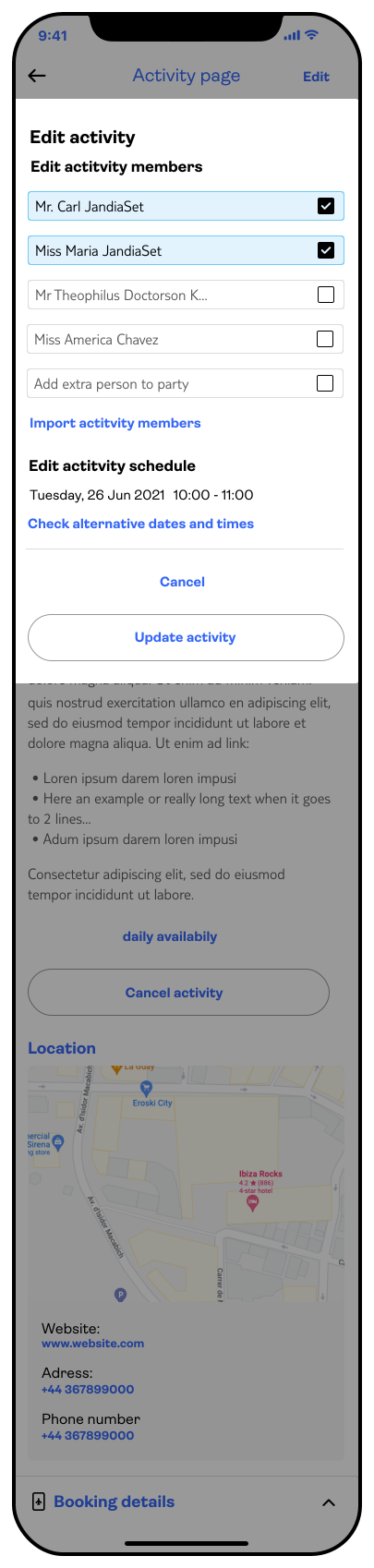
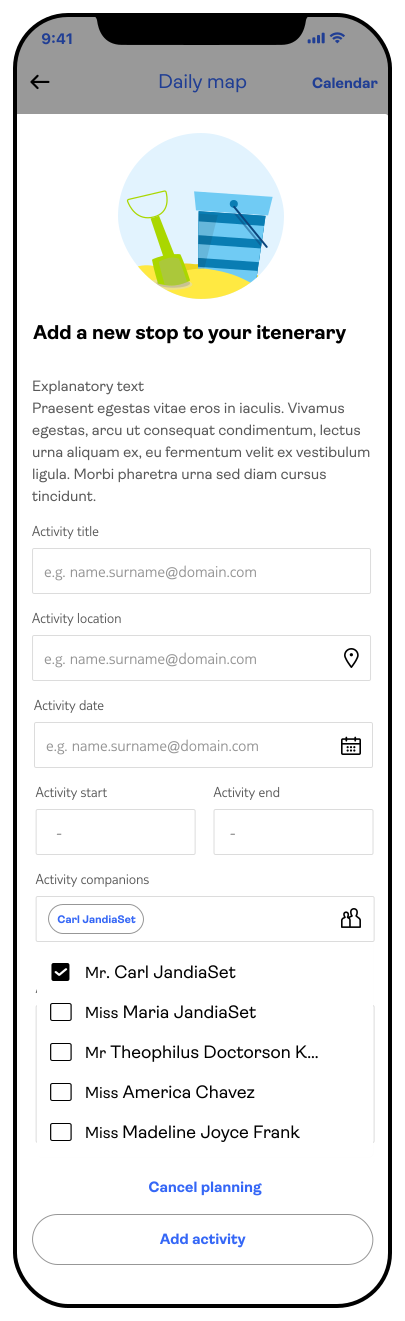
Tested a new modal pattern: 20% margins on each side, leaving background context visible. This was used for "Add a stop" and booking edit flows to reduce cognitive load.
Defined how the map, calendar, booking details, and activity pages would connect — and which existing app surfaces needed to be updated to support the new flow.
The solution was structured across five distinct surface types — each solving a specific failure point from the research. Together, they formed a coherent post-booking ecosystem rather than a collection of disconnected screens.
The itinerary page was rebuilt to be the primary navigation point for the entire trip. Day tabs show weather and activity counts at a glance. Each day lists booked activities with time, status tags (On time, Delayed, Cancelled), and a quick link to the full activity detail. A toggle surfaces suggested activities alongside booked ones — creating a lightweight upsell layer without disrupting the core experience.
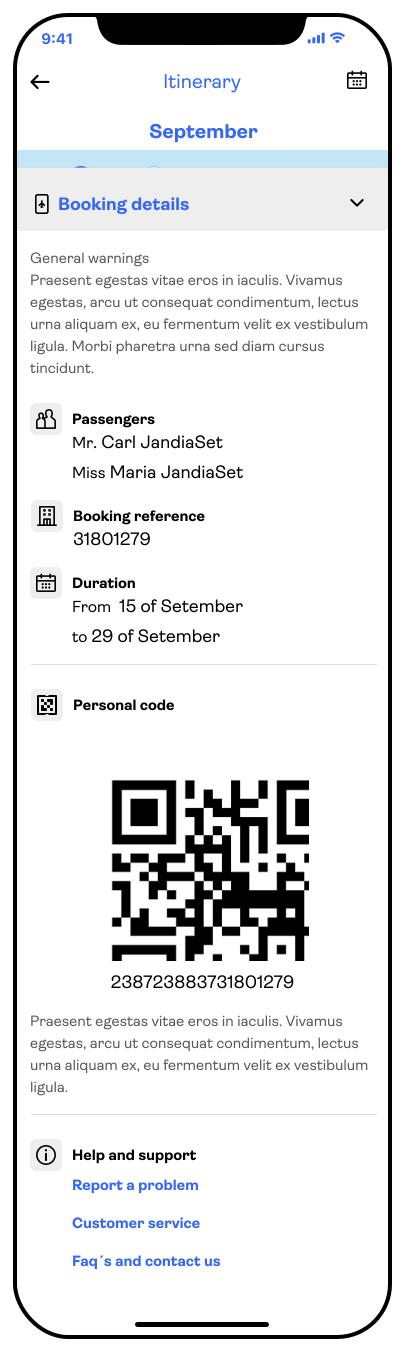
The booking details drawer — accessible from both the itinerary and the activity page — contains general warnings, a passenger list, the booking reference, duration, and a personal QR code. This mirrors a physical ticket in function: it can be shown at entry points, scanned by staff, and used offline. The persistent placement at the bottom of the screen ensures it is always one tap away, without interrupting the primary content.
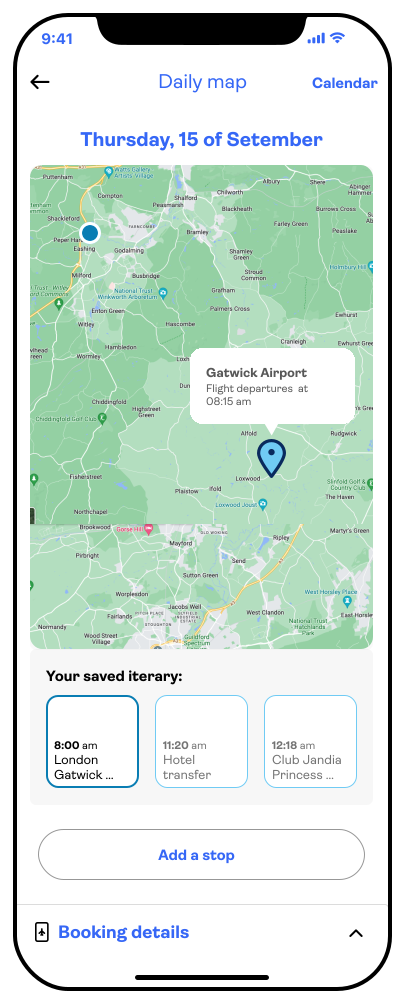
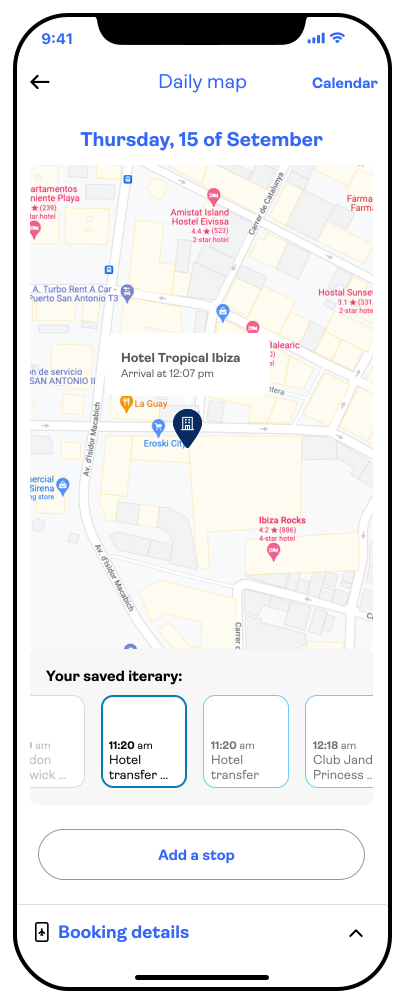
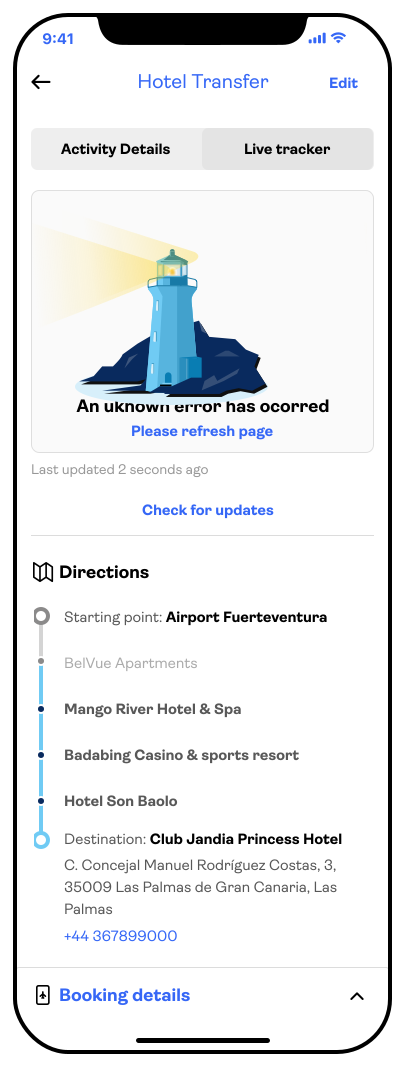
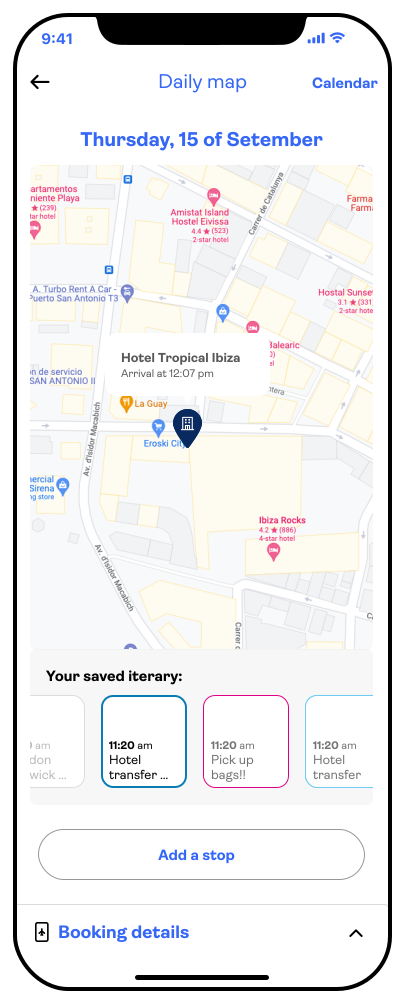
The daily map gives customers a spatial overview of their itinerary for the day — arrival point, hotel, and booked activities are all pinned and labelled. A horizontal scroll of saved stops sits below the map. The "Add a stop" CTA opens a 20%-margin modal where users can create personal stops and add companions from their family group. Items added by TUI, the hotel, and the user each carry a distinct border colour to distinguish the source at a glance. An offline fallback — a lighthouse illustration — was designed for when the map cannot be loaded without a data connection.
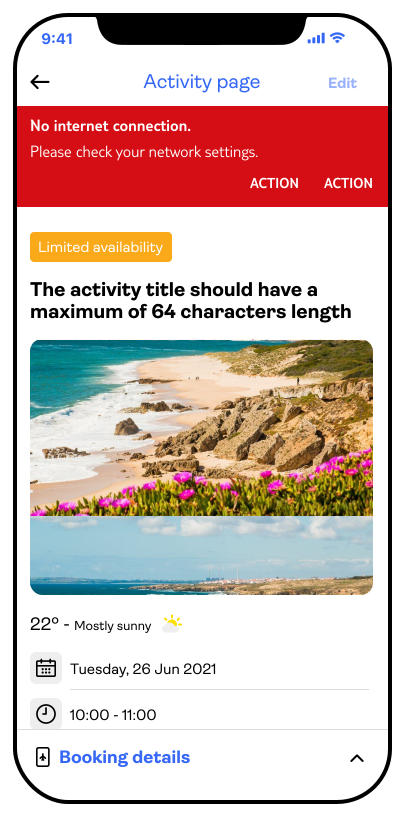
The activity page was redesigned to lead with context: a hero image, status badge (Limited availability / Booked), current weather at the location, and the three key details — date, time, and location — presented as tappable chips that link directly to the calendar, clock, or map. Below the fold: a description, collapsible Q&As for equipment and inclusions, a live map section when the user is nearby, and contact information. The booking details drawer persists at the bottom for quick access to the QR code and full confirmation.
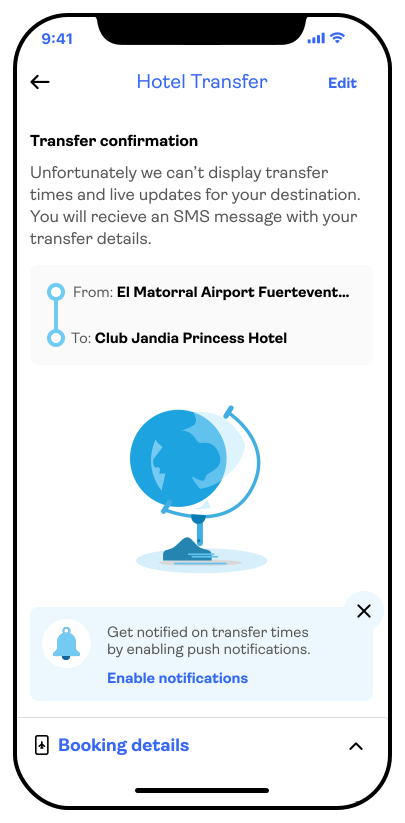
The transfer screen adapts to the level of detail available. A simplified version shows pickup point and destination. A richer version — used for excursions with tight schedules — adds the bus number, licence plate, seat reference, journey duration, and a live tracker. Step-by-step directions, modelled on a familiar maps experience, are delivered through a bottom sheet after the user inputs an origin and destination. All navigation is cached to function without a data connection.
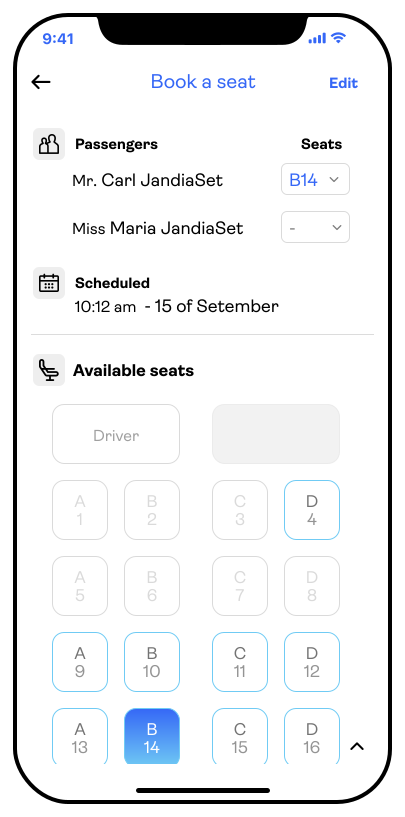
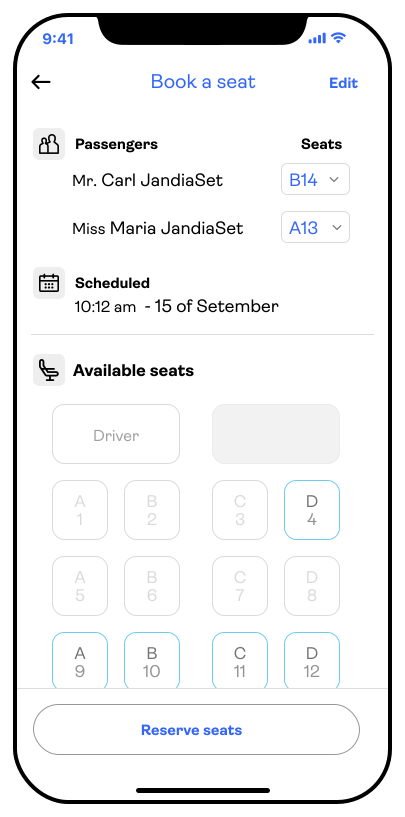
For experiences requiring a reserved seat, a dedicated screen presents the vehicle layout alongside passenger names and the schedule. Editing opens an interactive seat map — a schematic of the actual vehicle model — where passengers can select or swap their assigned position.
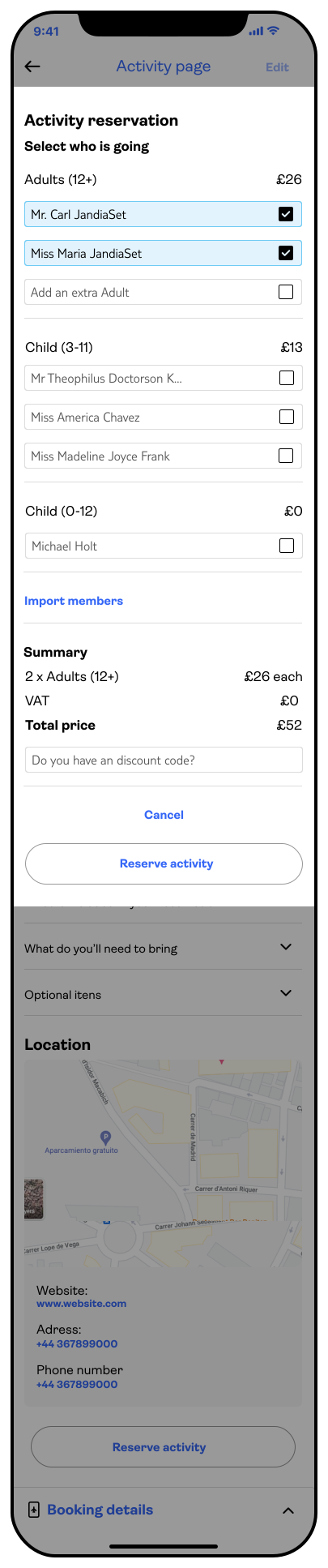
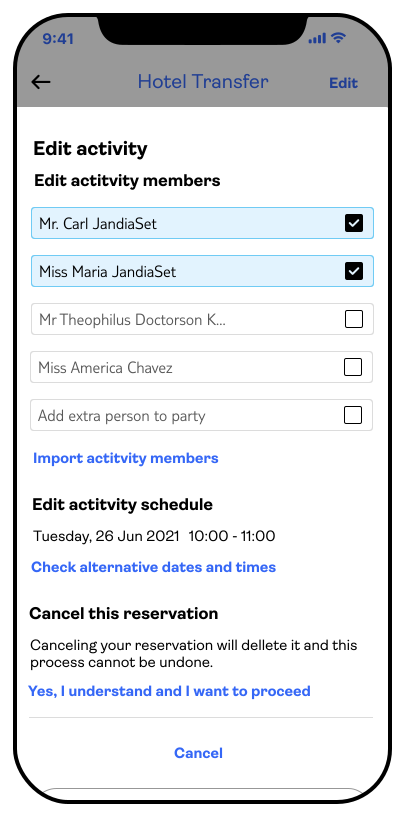
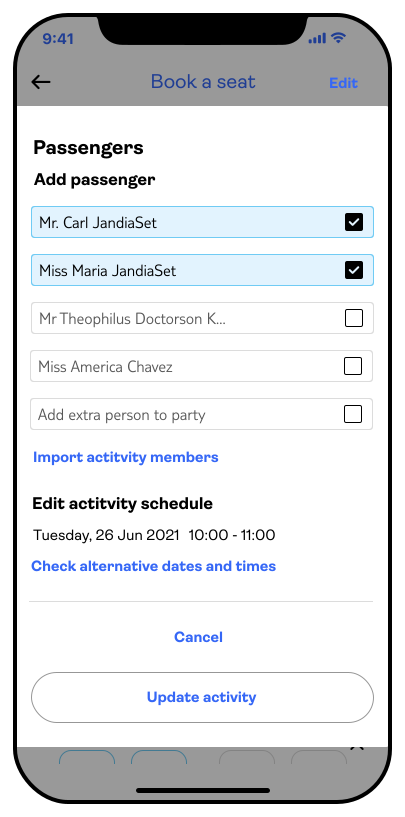
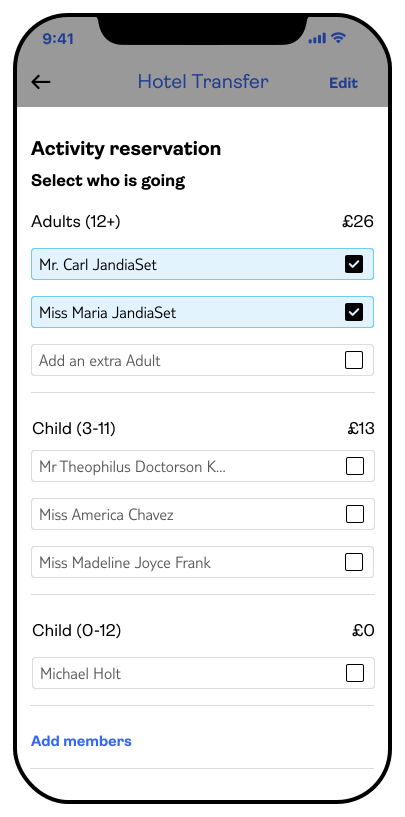
Editing a booking is triggered from the top-right corner of the activity page. A modal lists current participants and editing options. If the activity carries a price, a second step appears showing a cost breakdown by category — gender, adults, children — along with the total editing cost and a discount code field. The two-step approach keeps each decision isolated, reducing the risk of error.
Beyond the primary screens, several interaction patterns and system-level decisions had an outsized impact on how the experience felt as a whole.
Two persistent system states were designed: a red banner for no internet connection (triggering the offline-safe fallbacks) and contextual toaster notifications for booking confirmations. Both were designed to inform without blocking — the user can still navigate the app while the banner is visible.
Itinerary stops are visually distinguished by who created them. TUI-created items use the primary blue border. Hotel items use a neutral grey. User-created stops use a pink/magenta border — making it immediately clear which items are personal additions versus official bookings. This three-colour system avoids the need for labels and works at a glance in the scrollable stop list.
This project was presented at an internal TUI hackathon — not as a shipped feature, but as a blueprint and a pitch. The goal was to demonstrate what the following year's roadmap could look like if the team committed to unifying the post-booking experience.
The project served a secondary purpose: it was the most comprehensive test of the new TUI design system to date. By applying the updated visual language across a large, complex flow, we identified missing components, edge cases the system hadn't accounted for, and interactions that needed further definition before they could be handed off to engineering.
Metrics targeted for the next phase: click-through rate on itinerary activity cards, engagement with the suggested activities toggle, and conversion on drop-off and transfer confirmation flows.
Three weeks is a tight window for a flow this wide. The breadth was necessary to make the pitch credible — you can't argue for itinerary integration without showing the itinerary, the map, the transfers, and the activity page together. But it meant some screens were directional rather than production-ready.
The offline-first constraint — no data roaming for the map — turned out to be the most generative design problem. It forced clearer thinking about what information was truly essential versus what was nice-to-have when connected. That kind of constraint tends to produce better UX than an open brief.
If we were to take this forward, the family group feature — adding companions to a personal stop — would need significantly more definition. It touches account management, permissions, and privacy in ways that a three-week sprint couldn't fully resolve.